Domain creation (dStudio)
Creating a Domain
A domain is your uploaded dataset.
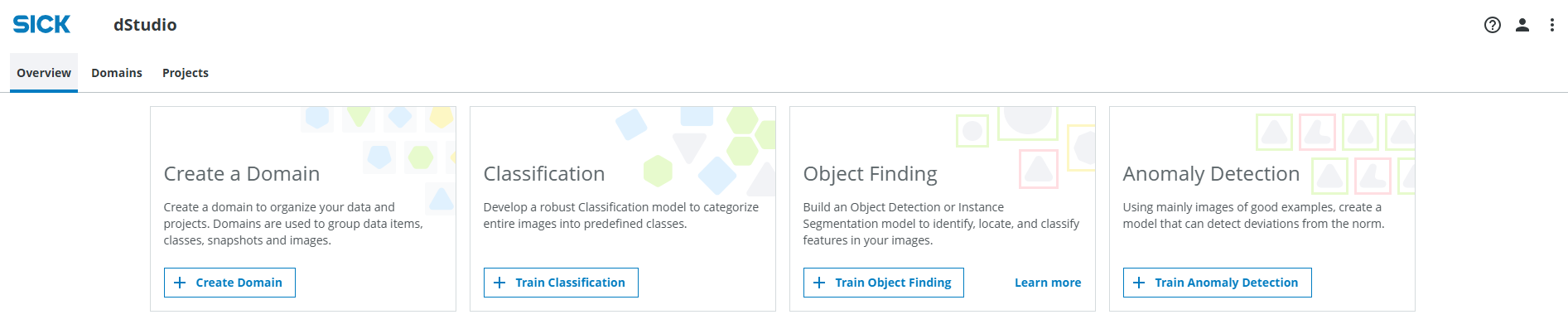
Go to dstudio.cloud.sick.com/overview and click on the Create Domain button.
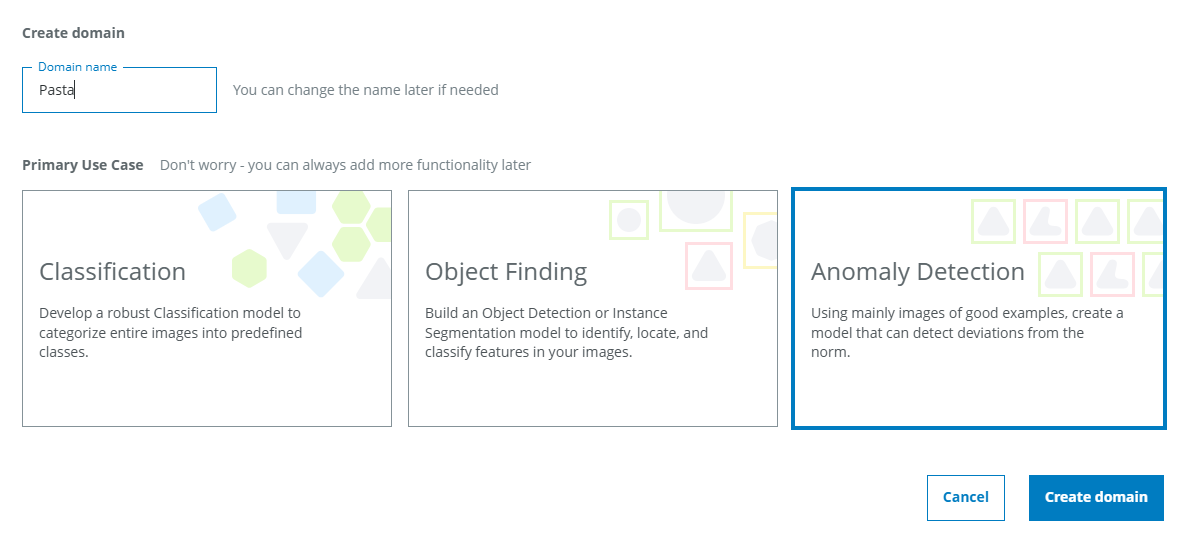
In the pop up, give the Domain a suitable name and select Anomaly Detection as the primary use case. If you are using the provided example data you could name it "Pasta".
If you want to use the example dataset and haven't downloaded it already, you can download it here.
Uploading images to the domain
Next, upload the images. If your images are already sorted into normal and anomalous you can use the Good and Bad fields, else use the Unclassified field. You can either drag-and-drop files or folders, browse files, or browse folders.
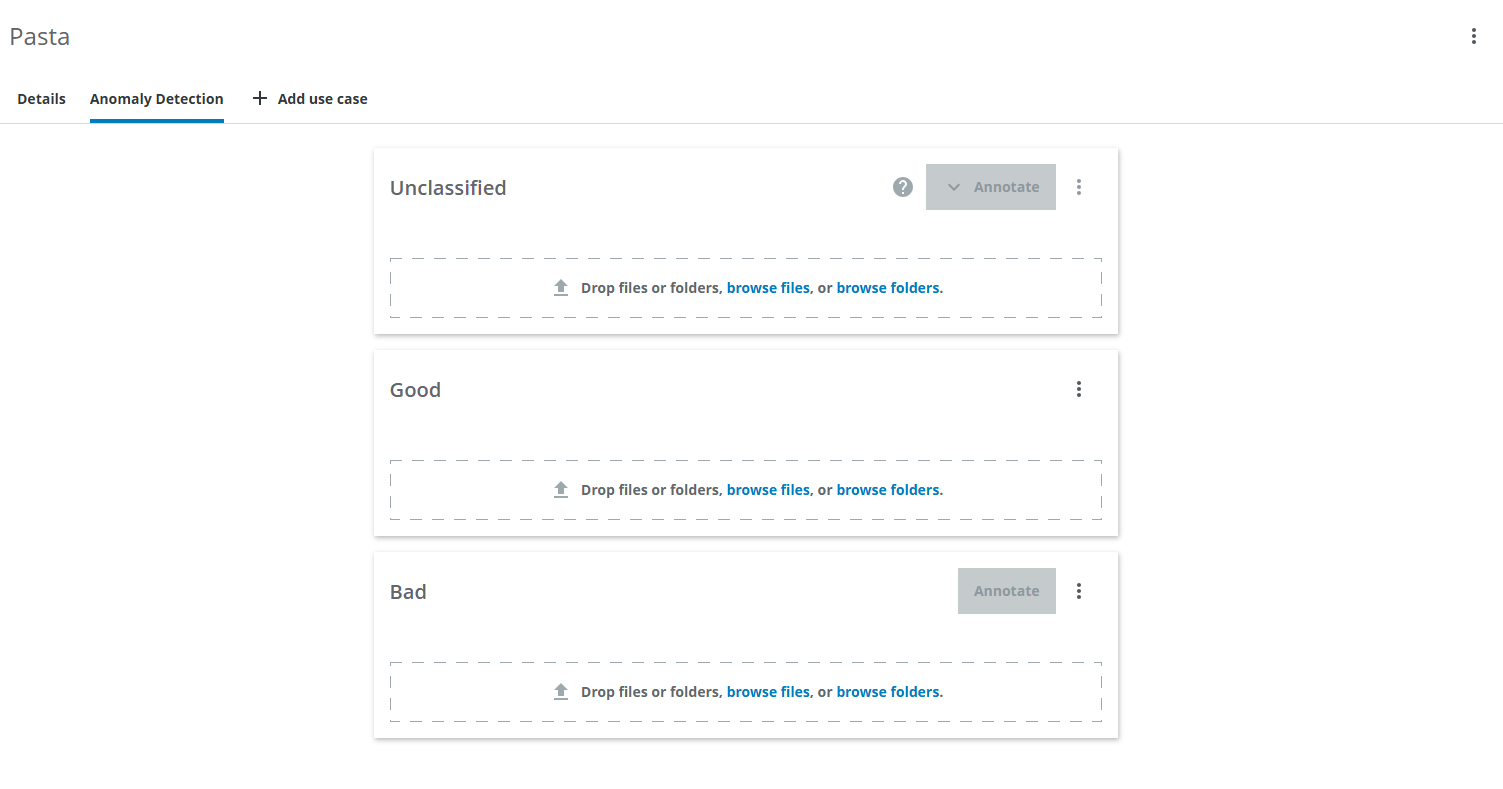
If you are using the demo data, first extract the contents of the downloaded zip file (pasta.zip).
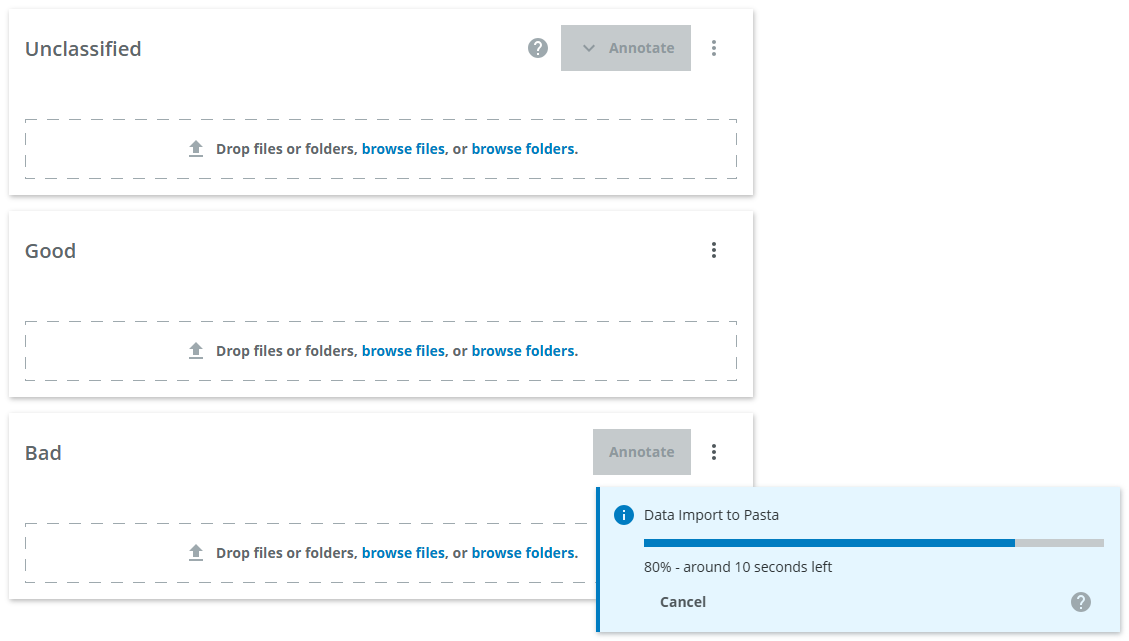
The progress of the upload is displayed in the blue pop up on the lower right.
Remember that the Bad images are optional.