Deploying networks in SICK Nova
Downloading the network
Once the training has finished you can access the deploy tab. Here you can download a trial or licensed network and deploy it in your own application.
Deploying to Nova
In order to run your trained network on a device, please open up the browser on your PC and enter the IP of your SICK device in order to access the SICK Nova UI. If you are unfamiliar with using SICK Nova, please see this tutorial series on YouTube (part 1 and part 2 are recommended).
If you want to use a licensed network the Intelligent Inspection license is needed to gain unlimited access to the AI Anomaly Detection (dStudio) tool. Under Jobs -> Analysis -> Add tool -> Verify -> AI Anomaly Detection (dStudio) you can add the tool to your job.
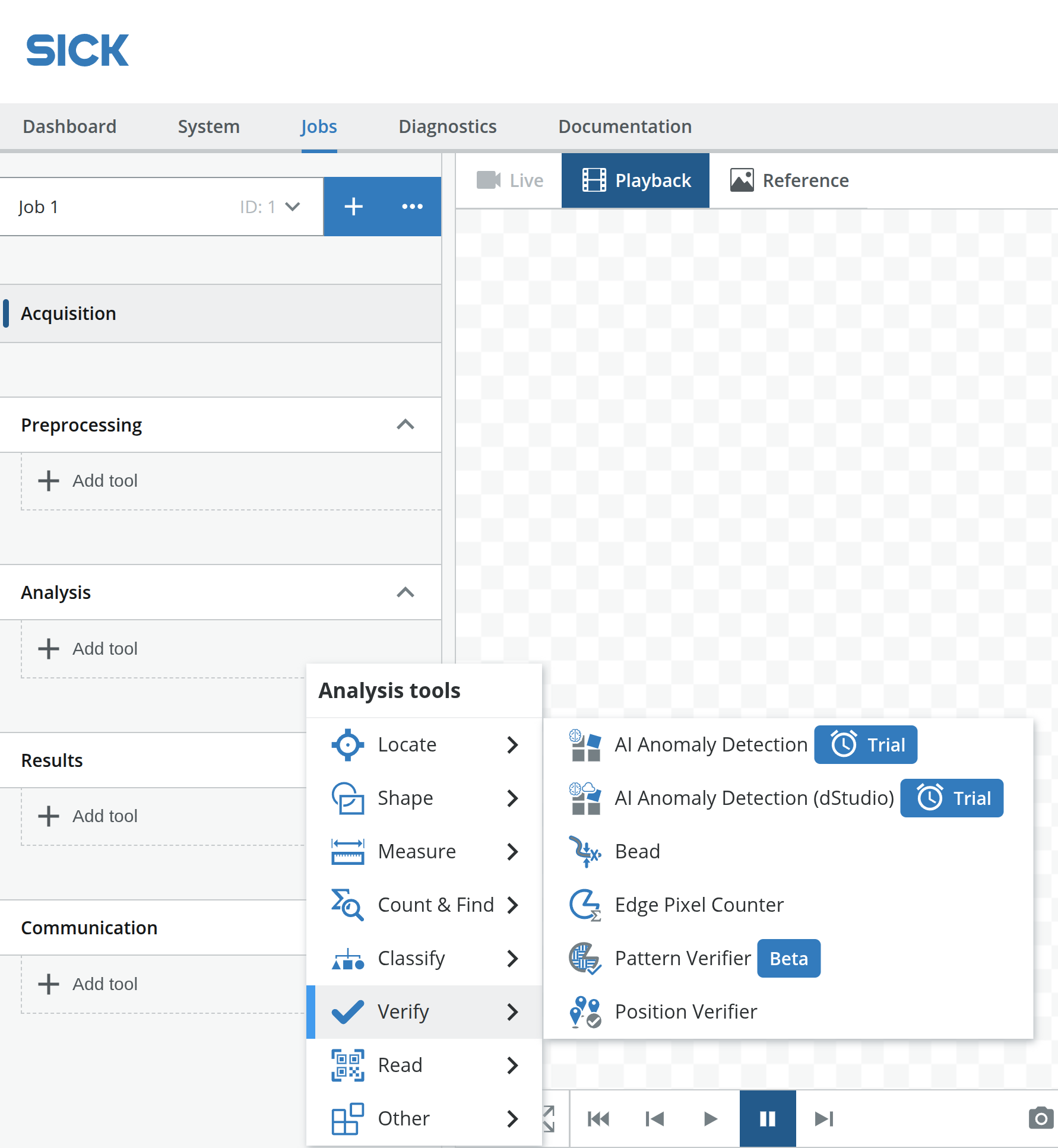
Click the blue question mark icon in the top right corner of the tool to access the tool documentation, which will guide you through the configuration of the tool.